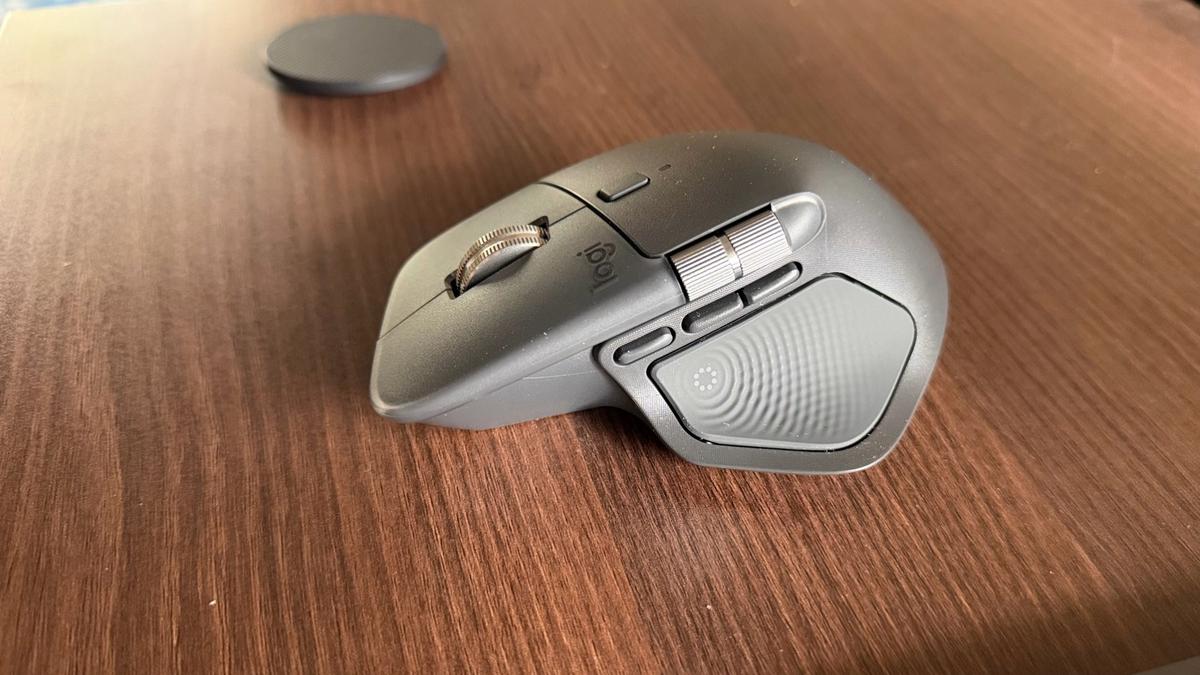
Logitech MX Master 4 Review: Should you upgrade?
I’ve been using the MX Master 3 Business edition for nearly three years now, and I’ve had little reason to complain. It still works flawlessly. My use cases are fairly specific: editing videos and navigating data-dense spreadsheets. So when Logitech announced the MX Master 4, I was curious to see what had actually changed and whether it would meaningfully improve my workflow. After using the MX Master 4 for about a week, my takeaway is fairly straightforward. It’s a polished, thoughtfully engineered mouse, but it doesn’t fundamentally alter my day-to-day experience enough to justify switching-at least not without a deliberate effort to relearn how I use a mouse. At first glance, the MX Master 4 stays true to the series’ strengths. The ergonomic shape is familiar, the build quality is excellent, and it’s clearly designed for long work sessions. Logitech has added a few new ideas this time around, most notably haptic feedback and a customizable “Action Ring” that’s meant to act as a context-aware shortcut system for different applications. On paper, it sounds powerful. In practice, the basics are still good, but not unequivocally better. Scrolling is precise and tracking is reliable on most surfaces, but I actually found it slightly less smooth than my MX Master 3. Logitech has changed the base pads on this device, and while I can’t say for certain that this is the cause, there’s a noticeable increase in surface friction compared to my older mouse. Comfort-wise, though, it remains well suited for long editing sessions. Where the MX Master 4 really diverges is in how much it asks of the user. Unlike previous versions, this mouse expects you to actively rethink your workflows. To get real value from it, you need to identify repetitive actions and then consciously map them to the Action button and gesture zones. That process takes time, experimentation, and - most importantly -muscle memory. The Action Ring set up is where my experience started break down. And I’m not sure whether buyers will want to go through something similar. They would ideally want a device that can quickly adapt to their existing workflow. The attention MX Master 4 demands is a tall ask given its limited functionality. Logitech needs to improve their offering here before asking people to commit to a new feature. Another thing I noticed is that Logitech has clearly prioritized certain applications, offering predefined action areas for tools like Adobe Premiere Pro and Lightroom. But if your workflow revolves around DaVinci Resolve, OBS, or other less-favoured software, support feels incomplete. Many hotkeys don’t work properly, some shortcuts aren’t compatible at all, and attempts to manually build custom actions often fail. Without broader and more reliable software support, the Action Ring ends up feeling like an unfinished promise rather than a genuine productivity booster. By contrast, the MX Master 3 Business version already nails what I actually use. The electromagnetic scroll wheel is excellent, the button placement feels intuitive without thought, and the business-grade USB receiver delivers...
Preview: ~500 words
Continue reading at Thehindu
Read Full Article