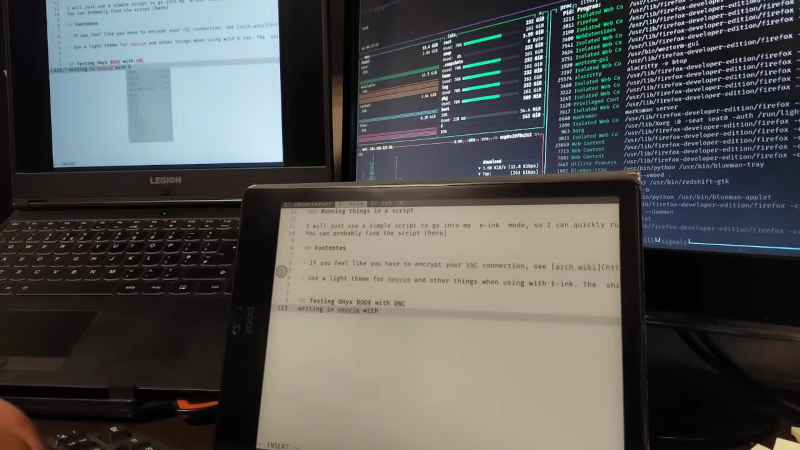
Using An E-Book Reader As A Secondary Display
[Alireza Alavi] wanted to use an e-ink tablet as a Linux monitor . Why? We don’t need to ask. You can see the result of connecting an Onyx BOOX Air 2 to an Arch Linux box in the video below. Like all good projects, this one had a false start. Deskreen sounds good, as it is an easy way to stream your desktop to a browser. The problem is, it isn’t very crisp, and it can be laggy, according to the post. Of course, VNC is a tried-and-true solution. The Onyx uses Android, so there were plenty of VNC clients, and Linux, of course, has many VNC servers. Putting everything together as a script lets [Alireza] use the ebook as a second monitor. Using it as a main monitor would be difficult, and [Alireza] reports using the two monitors to mirror each other, so you can glance over at the regular screen for a color image, for example. Another benefit of the mirrored screens is that VNC lets you use the tablet’s screen as an input device, which is handy if you are drawing in GIMP or performing similar tasks. We sometimes use VNC on Android just to get to a fake Linux install running on the device .
Preview: ~209 words
Continue reading at Hackaday
Read Full Article