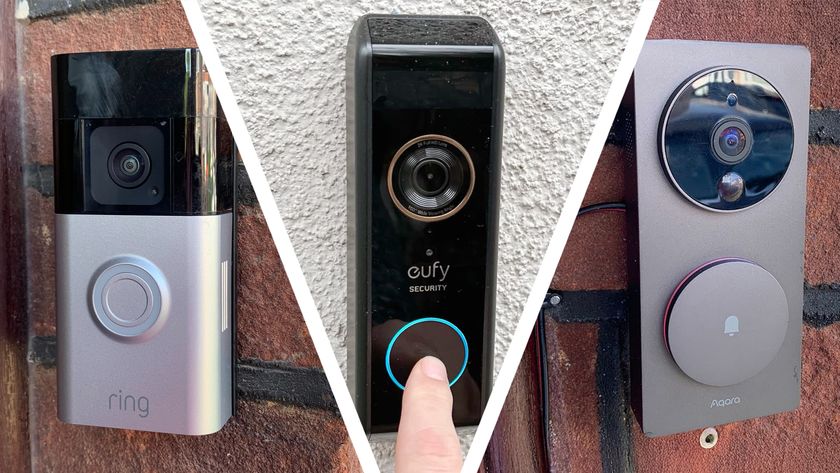
So you got a video doorbell or security camera for Christmas - what should you do now?
So you got a video doorbell or security camera for Christmas - what should you do now? Features Think carefully about where you want to install your new video doorbell or security camera(Image credit: Future) Most video doorbells and security cameras will let you define areas to monitor for motion to help prevent false alerts(Image credit: Chris Price) Most video doorbells let you set pre-recorded responses, and a few (such as the SwannBuddy4K) even use generative AI to create new ones(Image credit: Chris Price) One of the biggest benefits of a video doorbell or smart security camera is the ability to connect it to other devices in your home, including locks, speakers, and smart displays(Image credit: Ring) Chris Price published Get the most out of your new property-protecting gift Congratulations, you are now the proud owner of one of the latest high-tech security devices. Obviously, your friends and family know how important it is to you to see who is at the door, even when you may be sunning yourself on a beach halfway across the world. The best home security cameras and best video doorbells are rapidly becoming must-have gadgets for any smart home and - in case you thought your loved ones were being really generous this festive season - they don’t cost a fortune. But now you’ve got your security device what do you do with it? Here we take you through the various steps. 1. Choose your location First of all, you need to decide where to install your device. Obviously if it’s a video doorbell it should go on the front door, but you need to install it at the right height for someone to press it as well as for capturing surrounding movement. Typically, this is around 1.5m from the ground. Conversely, if you're mounting an outdoor camera, then it should probably be installed a little higher where it is out of reach - ideally 2m or above. However, remember if it is powered by disposable batteries or a rechargeable battery you will need to access the device every couple of months for recharging/battery changing (depending on its settings and whether it also has a solar panel). Importantly, the device will need to be quite close to your router (maximum distance around 25m) to capture video footage. Alternatively, it is now possible to buy devices that will connect to the internet via 4G/5G cellular networks, such as the Eufy 4G LTE Cam S330 . For indoor cameras, there is much more flexibility about where to locate the security camera especially if it’s battery powered. However, it is obviously important to keep the device out of private areas such as bathrooms and bedrooms unless you're using it as a baby monitor. 2. Customize the app for optimum recording One of the great things about your new smart security device is just how easy it should be to set up. Mostly this is done via a series of instructions within the Android/iOS app. Usually all you...
Preview: ~500 words
Continue reading at Techradar
Read Full Article