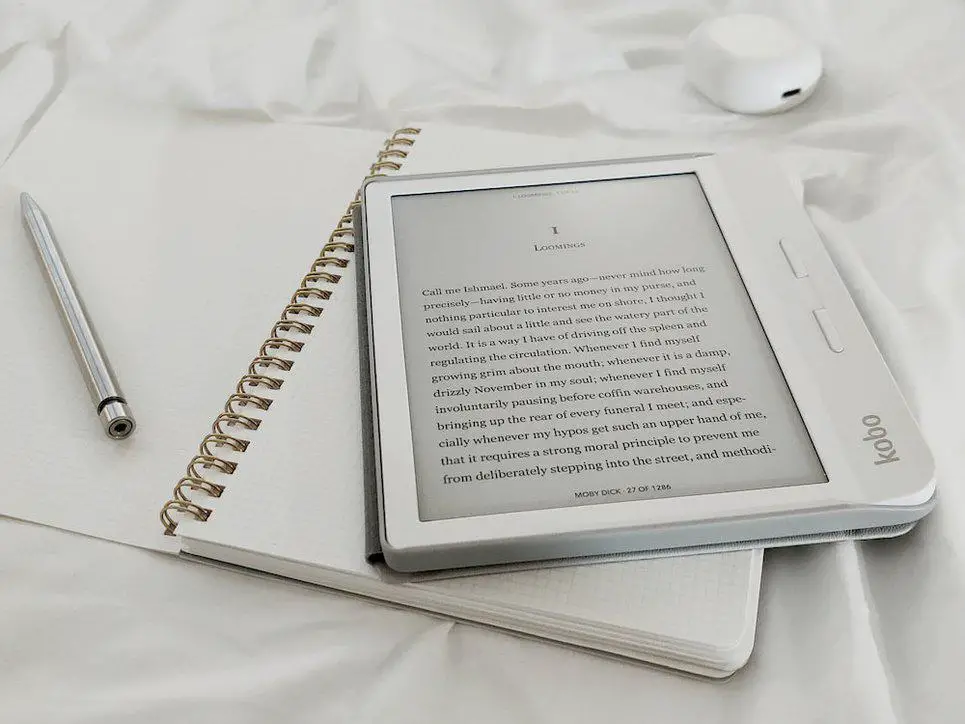
Kobo Ellipse 2E Review
Are you tired of lugging around multiple books or making difficult decisions about which titles to bring on your travels? Do you find yourself constantly jotting down notes and ideas, only to end up with a clutter of papers? The Kobo Elipsa 2E may just be the solution you’ve been searching for. This innovative device combines a super-sized eReader’s functionality with a digital notepad’s convenience. In this comprehensive review, we’ll delve into the features, ease of use, pricing, and support of the Elipsa 2E, helping you decide whether it’s the right choice for you. Table of Contents Review of the Product Large 10.3-inch E Ink display Rechargeable Kobo Stylus 2 with an eraser and replaceable tips ComfortLight PRO with adjustable brightness and color temperature 32GB storage for a vast library of books and notes Native support for a wide range of file formats, including EPUB, MOBI, PDF, and more Lower pixel density (227 PPI) compared to some competitors Lack of physical page-turning buttons Not water-resistant, limiting usage in certain environments Reviewing the Aspects Build Quality and Design The Elipsa 2E boasts a sleek and lightweight design, making it comfortable to hold and carry. The 10.3-inch E Ink Carta touchscreen display offers an immersive reading experience, with sharp and clear text. The device’s back panel is textured, providing a grippy surface that enhances handling. However, the lack of physical page-turning buttons may be a downside for those accustomed to more traditional eReaders. Note-Taking Experience The Elipsa 2E excels as a digital notepad, thanks to its included Kobo Stylus 2. The stylus is rechargeable and offers a comfortable grip, making writing and sketching a breeze. The device’s responsive touchscreen ensures instant feedback, while the various pen textures and stroke sizes allow for customization. However, the handwriting-to-text conversion feature may have occasional inaccuracies, and some users reported screen redraw issues during note-taking. Reading Experience As an eReader, the Elipsa 2E delivers a satisfying reading experience. The E Ink Carta display provides a paper-like reading surface with minimal glare, making it ideal for extended reading sessions. The ComfortLight PRO technology allows for adjustable brightness and color temperature, ensuring optimal reading conditions in any lighting situation. However, the lower pixel density (227 PPI) compared to some competitors may result in slightly less crisp text and images. Alternatives While the Kobo Elipsa 2E offers an impressive array of features, it’s essential to consider alternative products that may better suit your specific needs. Let’s explore some alternatives to the Elipsa 2E and see how they compare. Kobo Elipsa 2E vs. Kindle Scribe The Kindle Scribe is a strong competitor to the Elipsa 2E, particularly for users with extensive Kindle eBook libraries. The Scribe offers a 300 PPI display, providing sharper text and images compared to the Elipsa 2E’s 227 PPI display. However, the Elipsa 2E shines in its integration with OverDrive, making it easier for users to borrow eBooks from their local libraries. If you primarily use Kindle eBooks, the Kindle Scribe may be the preferred option....
Preview: ~500 words
Continue reading at Ereader
Read Full Article